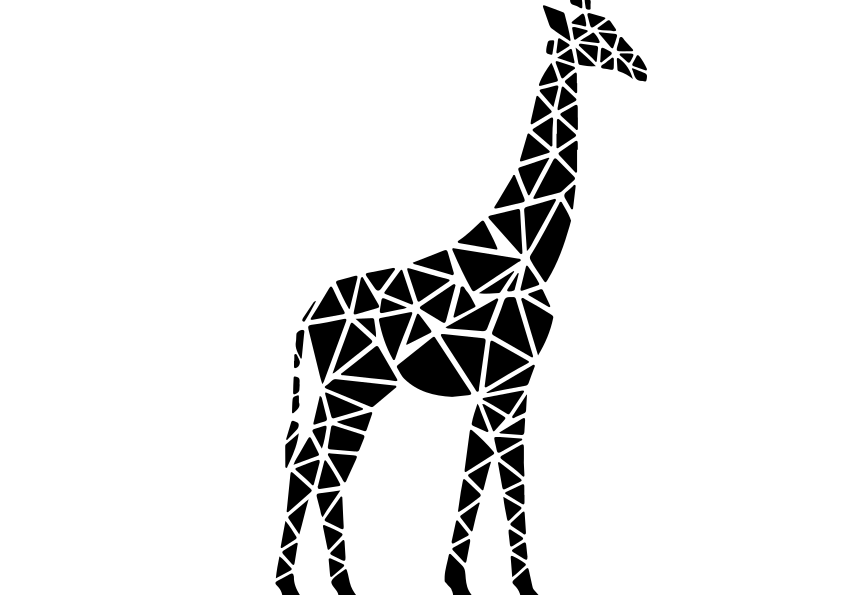
3 free geometric giraffe svg cut files

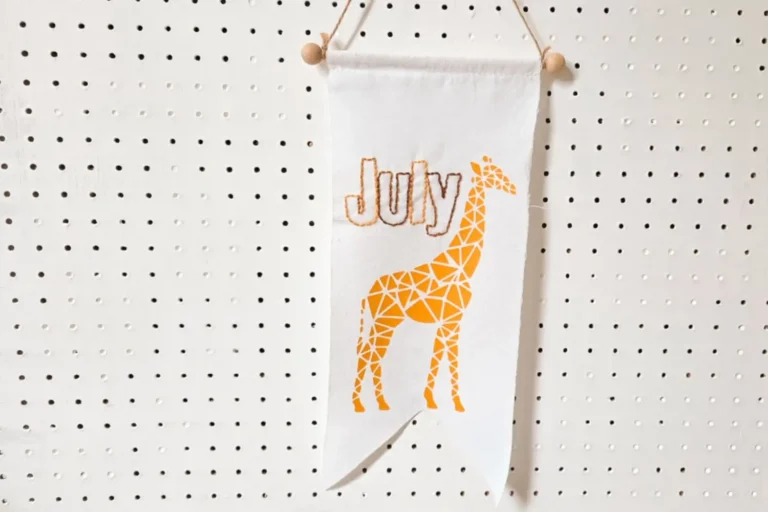
Grab these 3 free geometric giraffe svg cut files here. Perfect for cutting from vinyl and htv. Easy to upload to your Cricut, Silhouette or scan and cut. Also compatible with laser cutters for engraving.
Don’t like ad’s or scrolling? Buy the cut file in my ko-fi shop.

Download your giraffe svg cut files here
What are SVG files?
SVG’s are a graphics file. It stands for scalable vector graphics which means they can be easily resized and don’t lose their quality in the process.
You can also find lots of other SVG files in my file library.
Can I use this on my Cricut?
SVG’s can be used with Cricuts, silhouette and laser cutting machines. They can also be used for digital scrapbooking and printing.
Can photoshop open svg files?
Yes, photoshop now supports svg files. You can choose to rasterise the image to your size requirements or embed as a smart object.
Why does Cricut use svg files?
SVG is the format used on the cricut design space. Just make sure before your upload any svg’s that they have been unzipped if they are in zipped folders.
What can I use this svg file for?

I added one of the giraffes using heat transfer vinyl to a tie dyed t-shirt I had made. Along with a zebra for a fun summer top. You could also use the designs for:
- Mugs
- signs
- Canvases
- Gift tags
- Cards
- Stickers
- Table linen
- Coasters
- Tumblers
- Ornaments
What supplies do I need?
The basics would be:
- A cricut machine. I use the cricut maker.
- Basic toolkit
- Transfer tape
- Mats
Then project dependant you would need:
Don’t forget to Pin it for later!