How to create a mug mockup

If you’ve arrived at this post, you are probably a fellow blogger or a designer. Hopefully you have found this article because you would like to create a mug mock up.
My aim of this post is to walk you through all the steps in how to create a mug mockup. From the very basics to tips to help with the final polish of your design.
If you just want the highlights. Head to the end of the post for my list of top tips.

What are mockup files?
Mock ups are digital ways in which you can view potential ideas. Whether that is on a Mug, a book or a t shirt. They are full scale images of products which can be used in presentations and in design generation.
They are ideal for designers to create a range of ideas to show potential customers. Without having to create a physical product. Not sure if your latest logo or pattern design would suit a bag or mug better. Mock-ups are the tool you’ve been looking for.
Who can use them?
Mock ups have long been seen as the domain of graphic designers. But with software and tools becoming much more accessible and user friendly. Anyone who has learn the basics on Photoshop, could and should be utilizing mock ups in their arsenal of design ideas.
If you don’t already know the basics of Photoshop, adobe offer some great startup tutorials and you can also find lots of helpful videos on you tube.
Don’t want to pay the creative cloud subscription costs? There are some great alternatives to Photoshop at a fraction of the price. Such as Pic monkey, Pixlr, GIMP and Affinity photo.
What kind of results can you get?
Ultimately this will depend on a number of factors.
How good is your mug mockup to start with?
What are your skills in using Photoshop (or an equivalent)
What the quality of your graphic is.
If any one of these factors is poor – then the overall mock up will be poor.
To get the best outcome. Ensure you buy a high quality template to start with. Practice your skills on Photoshop or employ someone who is skilled. You can find some great people who can insert your graphics quickly on sites such as fivr.
Finally make sure your original graphic is high quality and saved in a PNG file format so it isn’t lossy when be applied to the mock up.
Examples
Mock up file normally come in two varieties. Most companies selling them offer both PSD and JPEG file formats for you to download and work on. You should receive images that have no placeholder or watermarks across the images.
These are some examples of the types of mock ups that are available to buy. As you can see they come in a variety of different styles. You can find almost anything you could envisaged once you start looking.
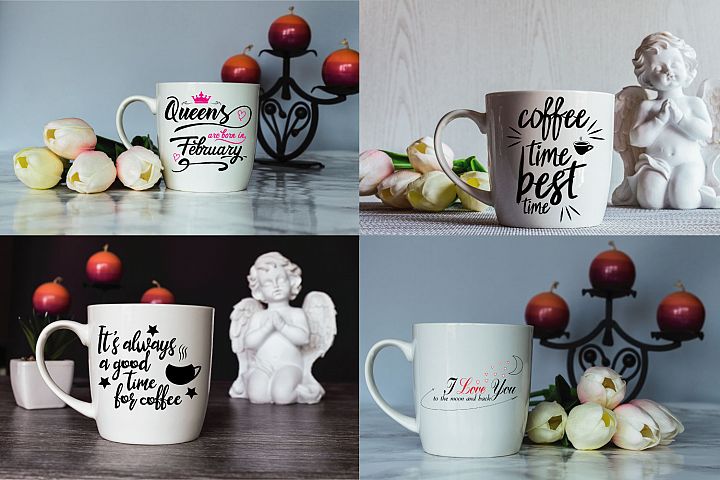
From themed mock up suitable for certain seasonal holidays and events.
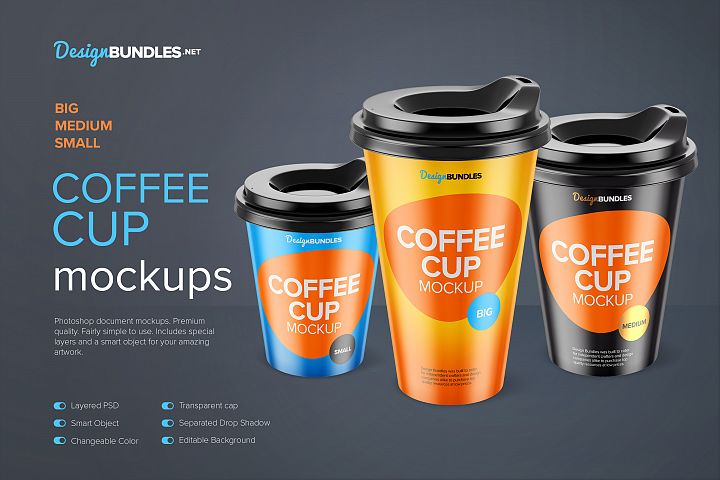
To the different style of mug you may be searching for. A delicate porcelain cup, through to an enamel mug or a disposable coffee cup. There is such a wide variety to choose from.
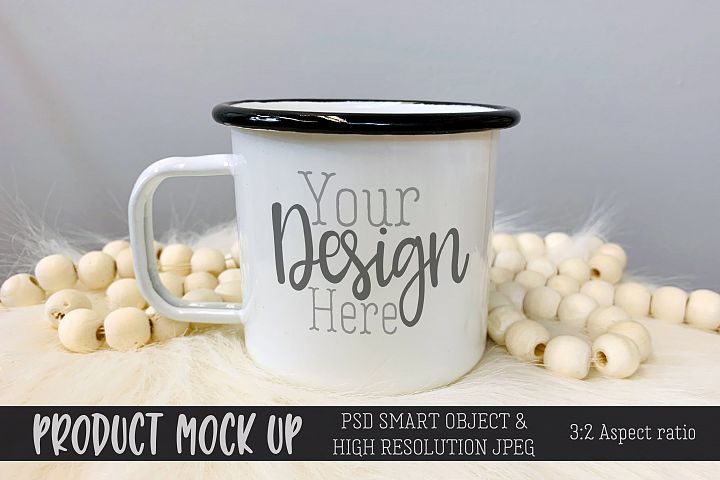
You should take your time in finding the right image to suit your product and branding needs as much as possible. Don’t just plump for the cheapest or the first one you find once you’ve clicked search.
How to create your mockup
- After you have purchased your mock up template and downloaded it.
- Open it in Photoshop and make sure it is unlocked so that you can edit it.
- Create a shape that fits your template of the mug design. The more complex the mock up design, the more complex your shape will have to be. If you want to keep things simple look for a well shot front facing mug mock up template to start with. Avoiding any shadows if possible.
- Adjust the perspective and angle to fit. Then make it translucent so that you can see if it fits correctly.
- Convert this shape into a smart object.
- Open up the graphics you want to be added to the mug mockup. These ideally should be in PNG format.
- Drop them into the smart object.
- Adjust the design to make sure it is centered and shaped to fit your mug.
- Click out of the smart object and you should see your design now incorporated in to the mug mock up.
Design Bundles
Once you start looking at what templates are available in creating mock ups you’ll be amazed at the wide variety. You can find them for all manner of blogs, businesses and crafts. From bags, bottles, mugs, t shirts, and books. To magazines, posters, mobile and web displays.
Whatever you imagine been designed, with a quick search you’ll be able to find a suitable mock up for your design purposes. Design bundles is a great one stop shop for the digital designer. You can find products for every possible project you could imagine. From graphics, add ons, stock photos, templates and resources for craters. Such as SVG’s, printable’s and embroidery designs.
Other mock up ideas
If mugs aren’t for you, don’t forget these tips and tricks can be applied to all sorts of products. To help you will updating your website, helping you with branding and developing a whole new product range. Perfect if you are looking to open a eCommerce store and want to offer a whole range of products to customers.
If you want to showcase your ideas and avoid the expense of developing a new product only for customers not to purchase it. Using mock ups is a great way to get potential sales. Want to know more about How to make your blog a brand or more information on 10 reasons to use mockups on your site check out these posts.