Free ‘homegrown’ sign svg

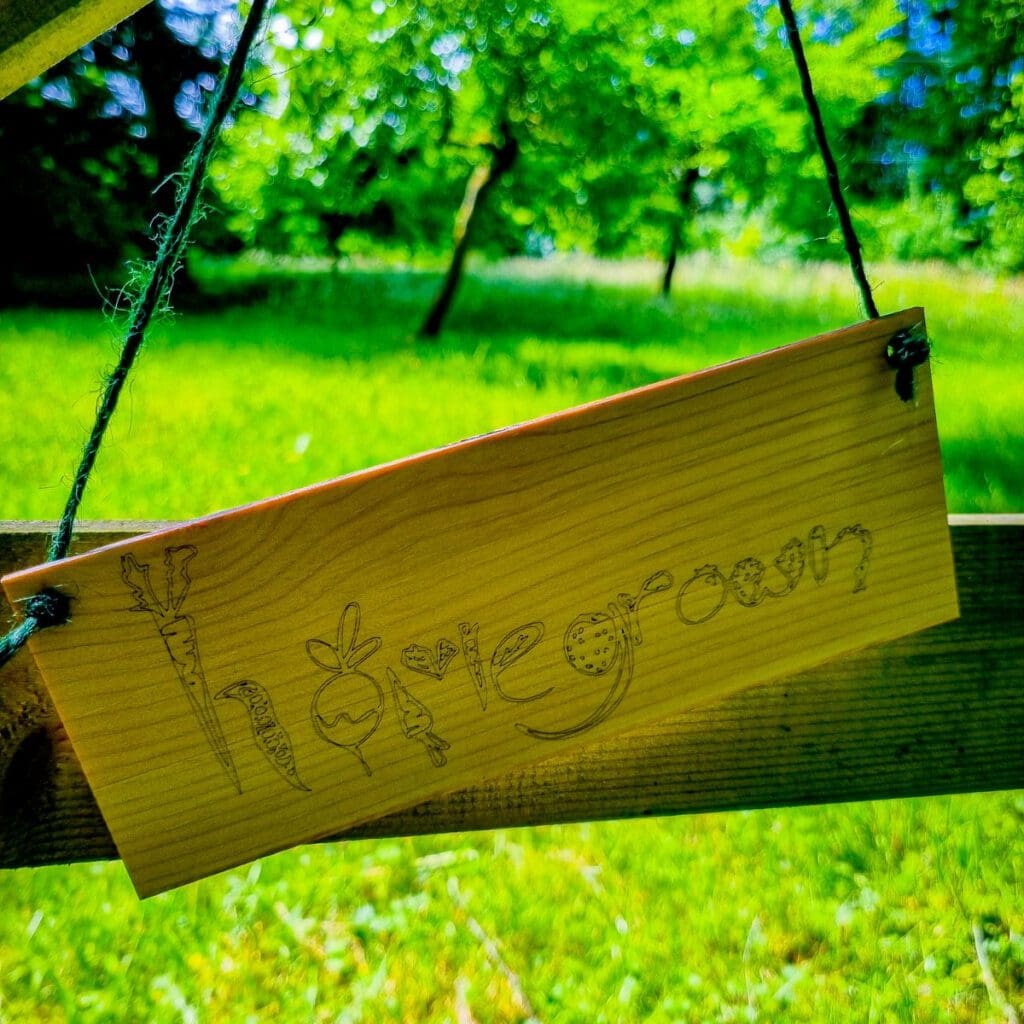
Free ‘homegrown’ sign svg graphic for download. Download this free sign design not just for your garden but as kitchen décor or as a cute extra gift for a keen gardener.

I made my ‘homegrown’ SVG sign using my Mr Beam laser cutter. I used plywood and the laser cutting and laser engraving functions to create it. It’ll love perfect hanging over the worktop in my utility room where I clean the fruit and veg from the garden.
Home grown was designed using my original hand drawings of the letters made from vegetables, then vectorised using Illustrator.
You could also use this design on a Cricut, using the cut and draw or foil functions for a very different look sign.
Read more on what are SVG files?
SVG’s are a graphics file. It stands for scalable vector graphics which means they can be easily resized and don’t lose their quality in the process.
You can also find lots of other SVG files in my file library.

Can I use the free SVG’s on my Mr Beam?
All my SVG’s can be used with with Mr Beam as well as cutting machines like the Cricut and silhouette. They can also be used for digital scrapbooking and printing.
Can photoshop open svg files?
Yes, photoshop now supports svg files. You can choose to rasterise the image to your size requirements or embed as a smart object. Perfect for engraving.
What can I use Craft Cartwright svg files for?
- signs
- Canvases
- Gift tags
- Mirrors
- Coasters
- Ornaments
Download your free file here