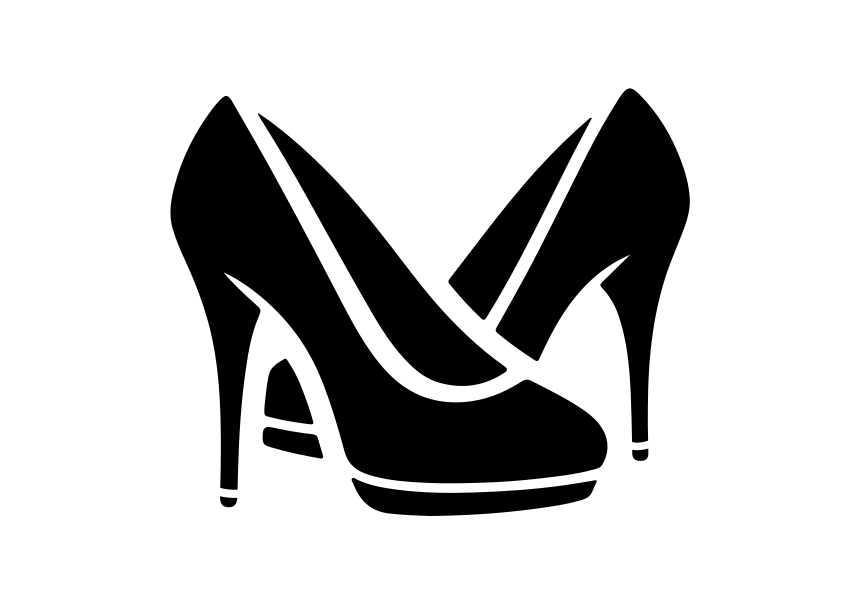
Free Ladies Shoes Silhouette SVG

If you’re always on the lookout for fresh design elements to elevate your projects. Look no further! I have a new Free Ladies Shoes Silhouette SVG perfect for vinyl and sublimation crafts.

What is an SVG?
SVG stands for Scalable Vector Graphics. Unlike pixel-based formats (like JPEG or PNG), SVGs are resolution-independent. That means you can resize them without losing quality. Perfect for your cutting machine projects!
Crafting with Ladies Shoes Silhouette SVG
Materials You’ll Need:
- Cutting Machine: Whether it’s a Cricut, Silhouette, or any other brand, make sure it’s ready to roll.
- Vinyl or Sublimation Paper: Choose your canvas wisely. Vinyl works great for decals, while sublimation paper is fantastic for heat transfers.
- Transfer Tape: This sticky superhero helps you transfer your design from the cutting mat to your project surface.
Step-by-Step Guide:
- Download the SVG: Head to the bottom of this post to unlock your exclusive content
- Open Your Cutting Software: Import the SVG file into your cutting software. Adjust the size if needed. Remember, these SVGs are like Cinderella’s glass slipper—they fit any project!
- Choose Your Material: Vinyl or sublimation? Decide based on your project. Vinyl sticks to surfaces like laptops, water bottles, and walls. Sublimation paper is perfect for fabric and mugs.
- Cut It Out: Send your design to the cutting machine. Watch it work its magic! Once cut, weed out the excess material. Remember to mirror the design, if using sublimation paper
- Transfer Time: Use transfer tape to lift your design off the cutting mat. Place it carefully on your chosen surface. Smooth out any wrinkles or bubbles.
- Heat or Stick: If you’re using vinyl, press it down firmly. For sublimation, follow the heat press instructions.
Download Exclusive Content