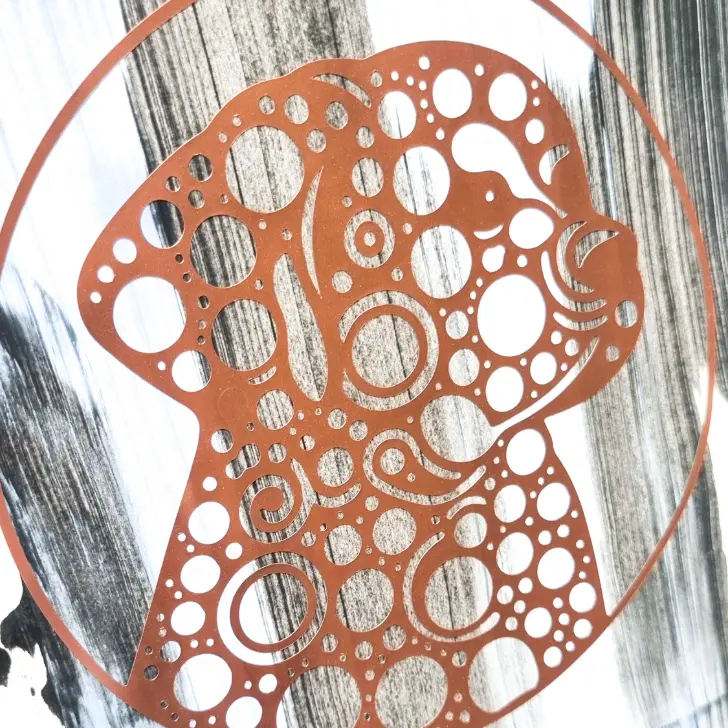
First Look: HTVRONT H17 Phone Case Heat Press + Free Floral Sublimation File

I love sublimation crafts, but with a standard heat press you can be limited to flat projects. Not anymore! HTVRONT’s new H17 Phone Case Heat Press might just be your new favourite tool. I got my hands on it early and couldn’t wait to share my first impressions, a step-by-step guide, plus a free floral sublimation file so you can recreate the project I made.

What is the HTVRONT H17 phone case heat press?
This little machine is designed for edge-to-edge sublimation transfers on phone cases and other small curved items like coasters, badges, and fridge magnets. It uses vacuum technology to apply even pressure around curved surfaces, ensuring wrap around designs, like you’ve never seen before.
Key Features:
- Fully automatic heat press with vacuum chamber
- Adjustable temperature (100–180°C) and time (1–600 seconds)
- Compatible with iPhone 11 and newer, plus Android models
- Works on curved surfaces up to 135°
- Available in Daisy White, Bubble Blue, and Lavender Purple
Step-by-step guide: How I made my floral phone case
Materials Used:
- HTVRONT H17 Phone Case Heat Press
- Universal phone case fixture
- Sublimation film (A4)
- Heat-resistant tape
- Floral sublimation design (download link below)
- Compatible phone case blank
Instructions:
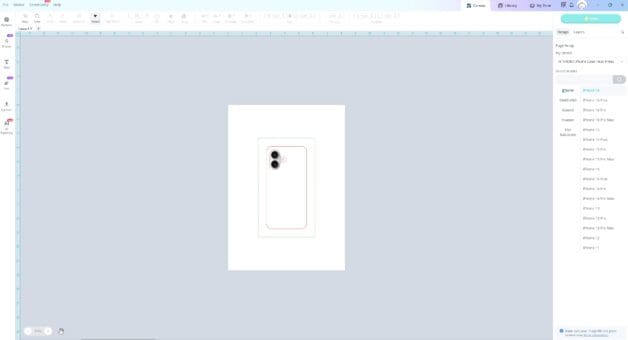
Prepare your design
Open the LOKLiK IdeaStudio software and select your phone model. Upload the floral sublimation file and adjust the size to fit your case.
Top Printing Tips
If your sublimation printer is struggling to feed the film, try these tricks:
- Add a strip of masking tape to the top edge of the film.
- Tape a sheet of copy paper to the back (shiny side) of the film to improve grip.
Insert the phone holder
Adjust it’s size with the metal accessories so it matches you phone case blank. Make sure you wear your gloves.
Set up the heat press
Power on the H17 and set the temperature to 160°C and time to 300 seconds (adjust this for other manufacturers blanks). The machine heats up quickly, 130°C in just 2 minutes.
Insert the phone blank
Tape the correct size lens cover to the inside of you phone blank and clip it over the holder inside the heat press. Wear gloves.

Make sure!
- Always use a full sheet of sublimation film. Don’t trim it down, or it won’t vacuum form properly.
- Warm up the printed film before pressing by placing it on top of the preheated press. This increases flexibility and helps a better vacuum seal form.

Secure the Design
Place the printed film over the phone case blank and close the lid.
Press the start button, makign sure you are in a well ventilated room. Sublimation is smelly!

Once done, carefully remove the case and peel off the film to reveal your custom design, using heat protective gloves.

Free Floral Sublimation File
Want to recreate the exact design I used?
Download the free floral sublimation zip file here:
Final thoughts
The HTVRONT H17 phone heat press, has been a fun new machine to test out. I’m looking forward to trying it on badges and coasters next. Long term, I’m not sure if it’ll become a daily used machine and I need to look closely at the price of the blanks and film to work out how much they’d cost per item. It’s been easy to set up and use and exciting to press a new variety of products.
Got questions or want to see some other projects made with the H17? Drop a comment below or tag me @craftwithcartwright and I’ll do my best to answer them!