4 free fox needle minders svg

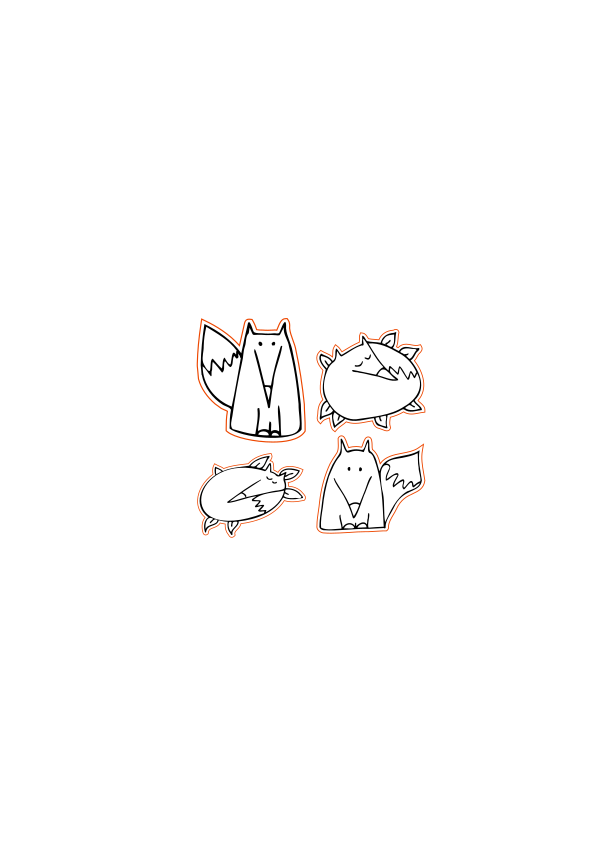
If you’re looking for free fox needle minders svg, you’ve come to the right place! These four free templates are perfect for laser cutting and use on a Cricut machine.

Cross stitchers and embroidery fans will love making their own magnetic needle minder so you can keep your needles safe and secure while you stitch.
Download these free files today and get started on your next crafting project!
I have been loving stitching fox themed projects recently and so I needed a new needle minder to match. I couldn’t decided on which fox I loved the most – so you get to choose from four different designs. Two sleeping foxes and two wide awake foxes, hand drawn in my own unique style.
Cut from ply wood, the fox needle minders svg files. They turned out light weight and durable making them perfect for needle minders.

You can finish them in all sorts of ways as well.
Here are four different types of finishes you could choose.
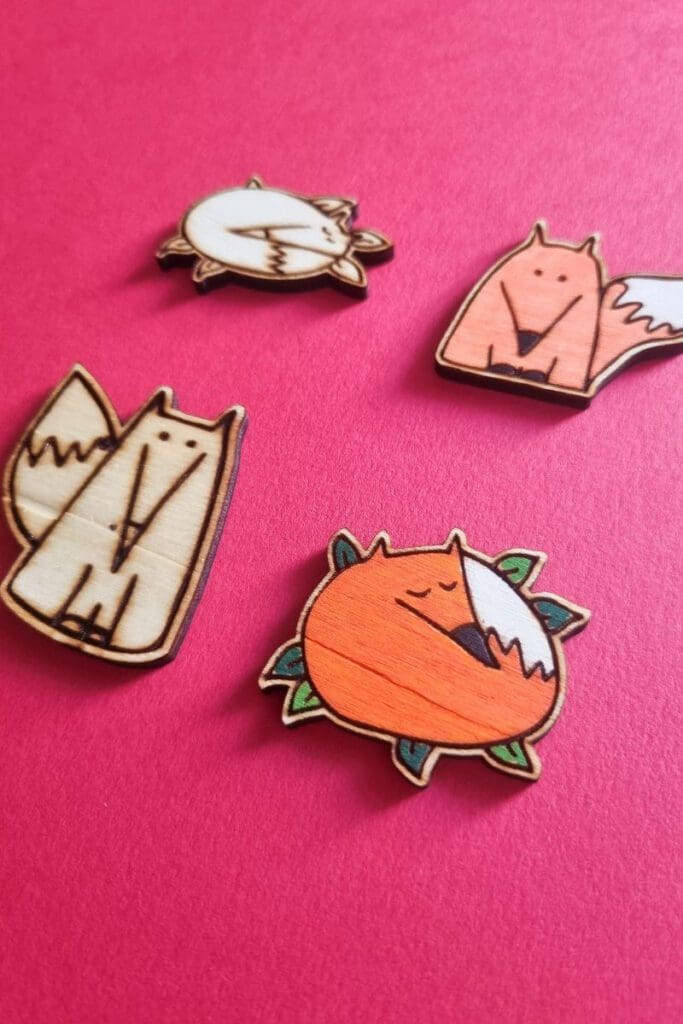
Go completely natural and just clean up any scorch marks. (Top tip – if you want to avoid the clean up, mask your wood before hand and peel off after to reveal clean wood)

Oil it with Danish oil, but make sure it’s completely absorbed into the wood before using it on your next embroidery project. There is nothing worse than having to get oil out of fabrics.
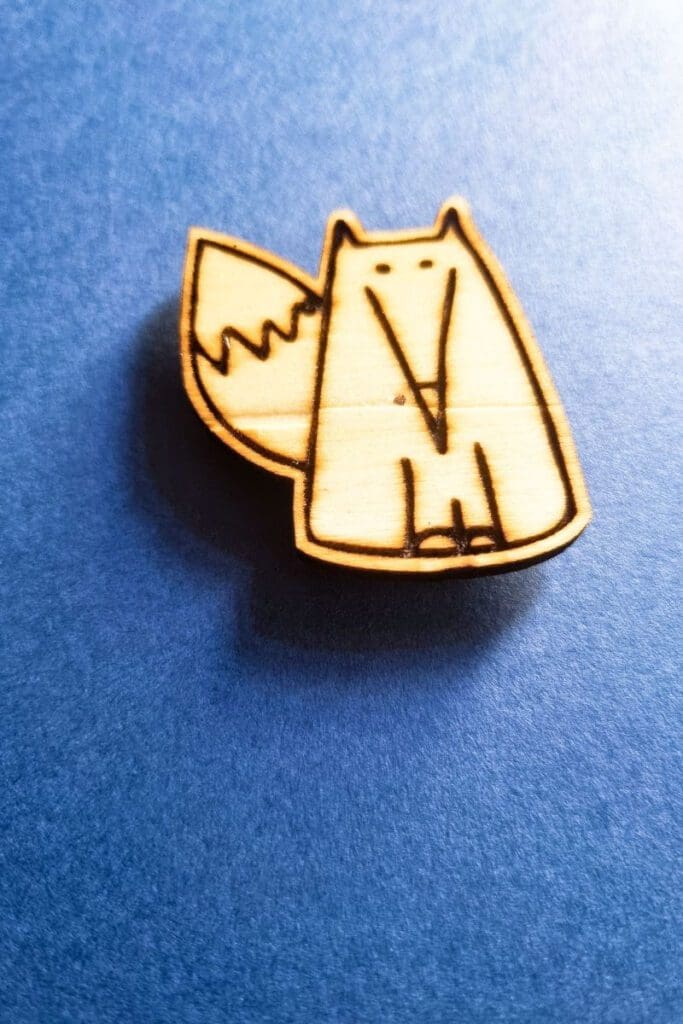
Colour it in with chalk markers. My favourite make are posca pens but you can find cheaper versions on amazon.
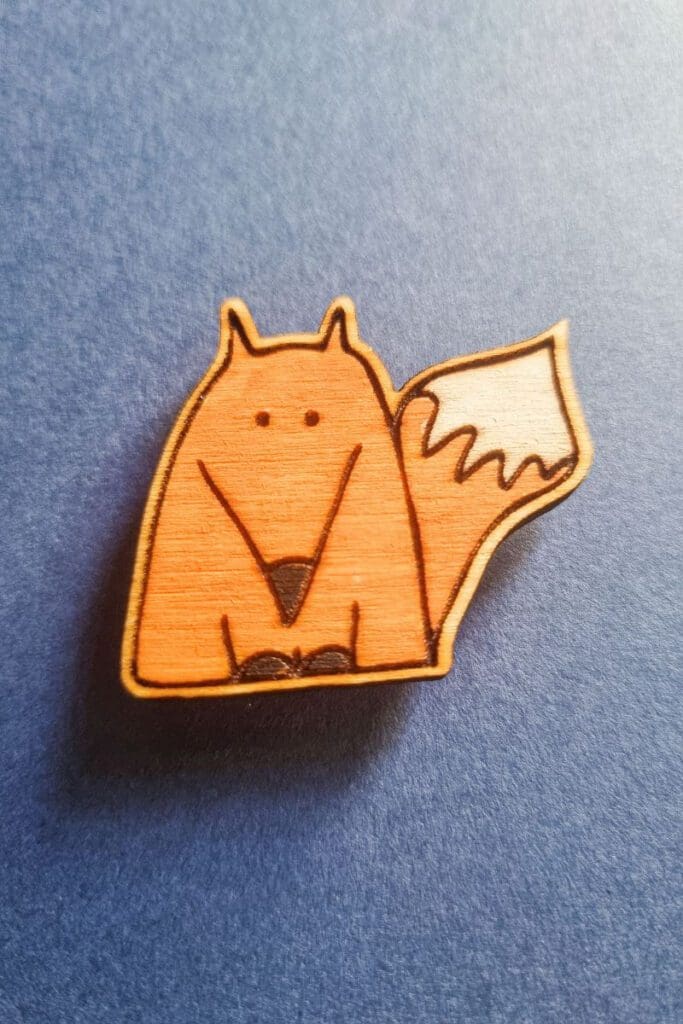
Hand paint it with acrylic paints – probably my favourite finish, but you do need a steady hand.

Which Fox and finish do you like the best?
How to make a wooden fox needle minder
Choose from four designs to make your wooden fox needle minder and never lose your needle again.
Materials
- Plywood
- 4 Foxes needle minder svg
- two magnets
- Strong glue
Tools
- Laser cutter ( I recommend the Mr Beam or xTool M1)
Instructions
- Download the 4 free fox needle minders svg
- Upload to your laser cutters design space and size to your requirements.
- Load your laser cutter with the material you wish to cut. (I chose 3mm plywood, but it would also look great in orange acrylic)
- Set your laser cutter to cut the outside edge and engrave the design.
- Cut out the fox
- Once cut, clean up any burn marks. You could leave it as that or your could oil it, paint it with acrylic paint or decorate with chalk markers
- Glue the first magnet under your needle minder so that the top is attaching your needle. (This section sits on the top of your fabric.)
- once the glue is dry, attach to your project holding it in place with the second magnet.
- Enjoying stitching with loosing your needle in the sofa again!
Read more on what are SVG files?
SVG’s are a graphics file. It stands for scalable vector graphics which means they can be easily resized and don’t lose their quality in the process.
You can also find lots of other SVG files in my file library.
Can I use the free SVG’s on my laser cutter?
All my SVG’s can be used with laser cutters such as Glowforge, xTool and Mr Beam. As well as cutting machines like the Cricut and silhouette. They can also be used for digital scrapbooking and printing.
Can photoshop open svg files?
Yes, photoshop now supports svg files. You can choose to rasterise the image to your size requirements or embed as a smart object. Perfect for engraving.
Why do laser cutters use svg files?
SVG files are not the only format used with laser cutters. They can also handle jpeg, png and GIF files. Vectors are what you will need for cutting and raster files with work fine for engraving. The beauty of SVG’s is that that can be scaled without any loss of quality. Just make sure before your upload any svg’s that they have been unzipped if they are in zipped folders.
What else could I use free Craft Cartwright svg files for?
Scale them up or down and you could create all sorts of projects for example.
What supplies do I need?
The basics would be:
Laser cutters
These are the two laser cutters I have in my home studio


![Image for Mr Beam II Dreamcut [S] & Air Filter II Bundle >G Mr Beam Lasers](https://craftwithcartwright.co.uk/wp-content/uploads/2022/05/mr-beam-zwei-dreamcut-s-air-filter-system-removebg.pngv1633596656-735x490.jpg)