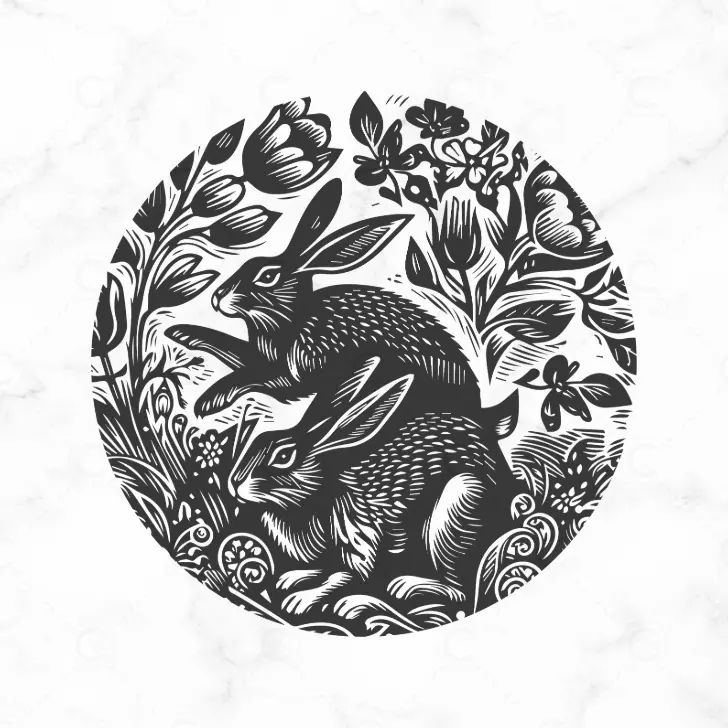
Free Hares svg cut file

If you love to add a personal touch to your home décor. Why not try one of favourite ways, by creating a custom cushion cover with heat transfer vinyl (HTV). This free hares SVG cut file is perfect for adding a nature-inspired touch to your projects. Whether you choose to use it for cushions like me, or tote bags, clothing or framed artwork, this design brings a beautiful woodland woodcut style touch to any project.

Materials You’ll Need to create the cushion cover:
- Cutting Machine (Cricut, Silhouette, or Loklik Crafter)
- HTV (Heat Transfer Vinyl)
- Blank Cushion Cover
- Weeding Tool
- Heat Press or Iron
How to Use the Hares SVG Cut File:
- Download the File – Get the free hares SVG by entering your email below.
- Upload to Your Cutting Software – Open the file in Cricut Design Space, Silhouette Studio, or Loklik software.
- Resize as Needed – Adjust the design to fit your project.
- Cut and Weed – Load your HTV into the machine, mirror the design if needed, and cut.
- Apply to Your Surface – Use a heat press or iron to adhere the design to your cushion cover
Project Inspiration
I used this hares SVG to create a stunning cushion cover with brown HTV on a faux suede fabric. It pairs beautifully with rich green tones and natural textures, making it a great accent for a cozy living space.
Download Your Free Hares SVG Cut File
Simply enter your email below to get instant access to the free hares SVG cut file. You’ll also receive updates on new craft projects, free resources, and creative inspiration!
I’d love to see what you create with this design! Tag me on social media @CraftCartwright so I can share your work.