Free Tropical Leaves SVG

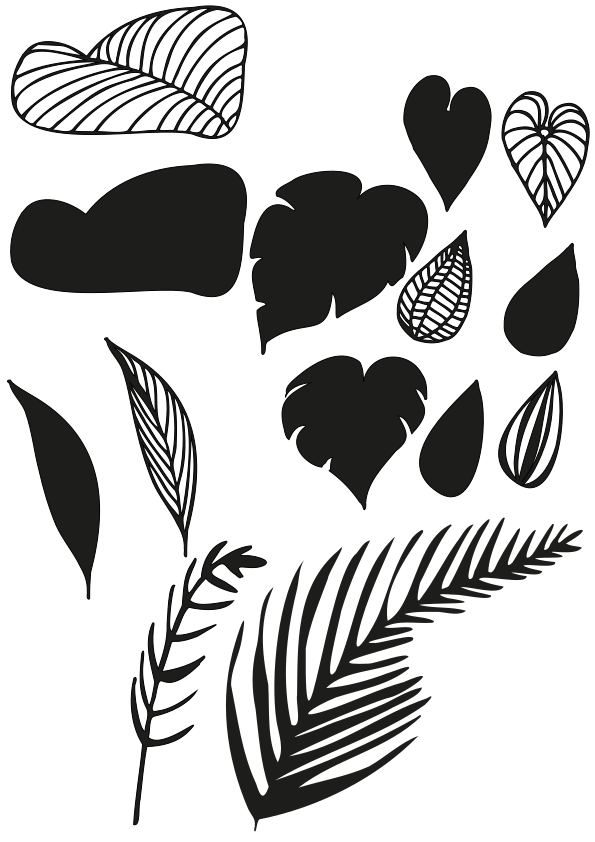
Are you ready to infuse your designs with a touch of tropical paradise? Look no further because I’ve got an incredible collection of free Tropical Leaves SVG just for you!
I am passionate about providing you with the highest quality design resources, and my free Tropical Leaves SVGs are no exception. My goal is to make it easy for crafters and DIY enthusiasts to bring the lush, vibrant beauty of the tropics to their projects.
What sets these apart from the rest, you ask?
- High-Quality SVG Files: my SVG files are meticulously crafted to ensure crisp lines. Making them ideal for cutting machines and lasers.
- Diverse Selection: a wide range of tropical leaf designs, from palm fronds to Monstera leaves. You’ll find the perfect SVG for any creative project you have in mind.
- Free to Download: Yes, you read that right! I’m all about making your creative journey as accessible as possible. No fees, no hidden costs – just free, beautiful SVGs.
- User-Friendly Interface: my website is designed with you in mind. It’s easy to navigate, and downloading your favourite SVGs is a breeze. Just head to the bottom of this post to download the file.
Say goodbye to paid SVGs and hello to your new go-to resource for free, top-quality SVGs. Your creative projects will never be the same again!
Ready to get started? Explore my free Tropical Leaves SVG collection now, and let your creativity flourish!
What are SVG files?
SVG’s are a graphics file. It stands for scalable vector graphics which means they can be easily resized and don’t lose their quality in the process.
You can also find lots of other SVG files in my file library.
Can I use this on my Cricut?
SVG’s can be used with Cricuts, silhouette and laser cutting machines. They can also be used for digital scrapbooking and printing.
How do I download the file?
Simply click on the download button to grab your free svg.
Can photoshop open svg files?
Yes, photoshop now supports svg files. You can choose to rasterise the image to your size requirements or embed as a smart object.
Why does Cricut use svg files?
SVG is the format used on the cricut design space. Just make sure before your upload any svg’s that they have been unzipped if they are in zipped folders.
What can I use this svg file for?
- T-shirts
- Mugs
- signs
- Canvases
- Gift tags
- Cards
- Stickers
- Table linen
- Coasters
- Tumblers
- Ornaments
What supplies do I need?
The basics would be:
A cricut machine. I use the cricut maker.


Transfer tape


Then project dependant you would need:


Don’t forget to Pin it for later!