Free NOPE SVG for Cricut and Silhouette

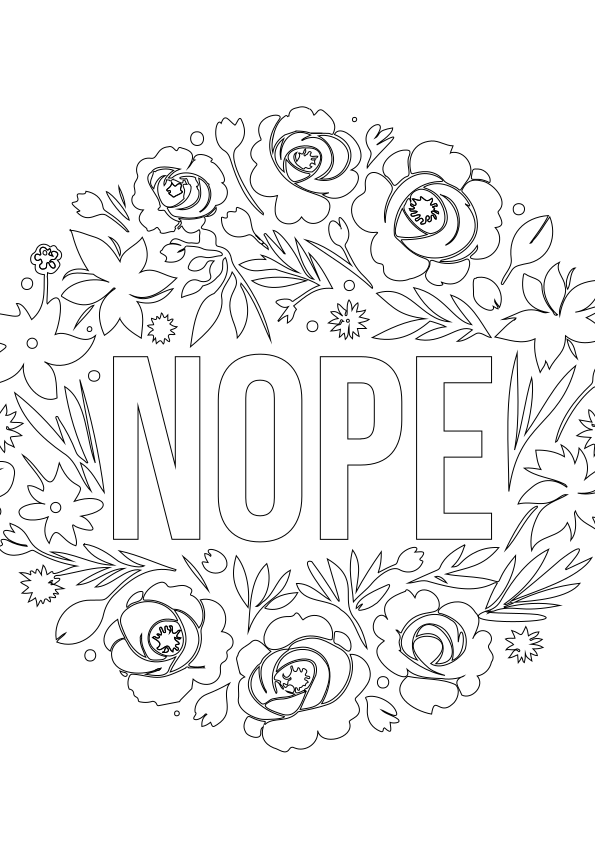
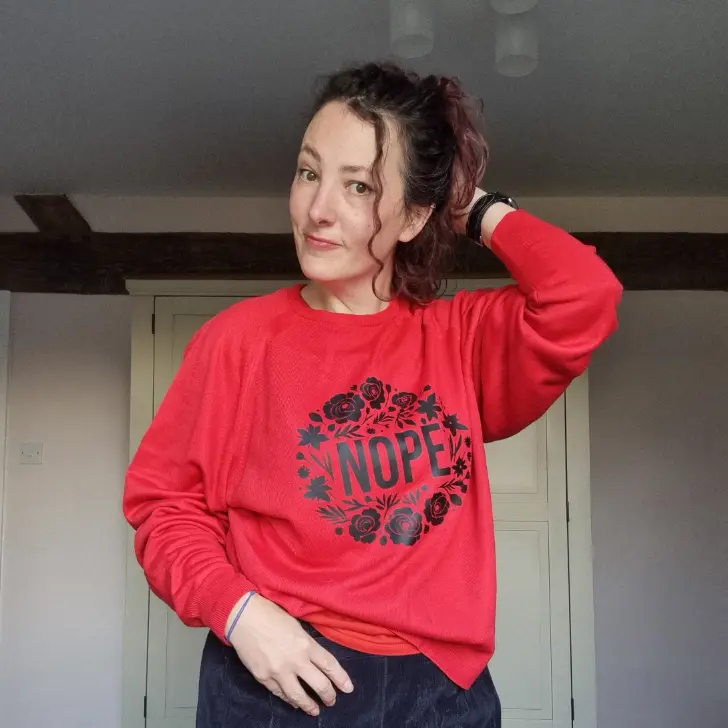
Sometimes you need a top that just says it all, and those days I reach for my nope sweater. If you also feel you need this design in your life, you’re in luck. You can download my free NOPE svg for Cricut and silhouette cutting machines at the bottom of this post.

This design can offer your snarky response on all manner of materials. Whether you’re into decorating, crafting clothing, or adding a personal touch to bags and cushions, this design is perfect for you to tell others how you feel.
Crafting Inspiration:
I took a red jumper and transformed it into a statement piece. Using black heat transfer vinyl (HTV) and my trusty Cricut machine, which effortlessly brought the “NOPE” design to life. The contrast of the black vinyl against the red fabric gives the jumper a bold look.
Crafting Tips:
If you decide to use heat transfer vinyl, remember to mirror the design before cutting. This ensures that when you apply the vinyl to your project, the text appears correctly. It’s a crucial step that can save you from potential mishaps and ensure a professional finish to your creations.
What supplies do I need?
For my jumper I used:
- Jumper – (mine came from preworn a online second hand clothing store)
- A cricut machine. I use the cricut maker.
- Basic toolkit
- Mats
- BlackHeat transfer vinyl
- Heatpress
What else can I use this svg file for?
- Mugs
- signs
- Canvases
- Cards
- Stickers
- Table linen
- Coasters
- Tumblers
- Ornaments
FAQ’s
- What are SVG files? – SVG’s are a graphics file. It stands for scalable vector graphics which means they can be easily resized and don’t lose their quality in the process. You can also find lots of other SVG files in my file library.
- Can I use this on my Cricut? – SVG’s can be used with Cricuts, silhouette, loklik, and laser cutting machines. They can also be used for digital scrapbooking and printing.
- How do I download the file? – Simply click on the download button to grab your free svg.
- Can photoshop open svg files? – Yes, photoshop now supports svg files. You can choose to rasterise the image to your size requirements or embed as a smart object.
- Why does Cricut use svg files?– SVG is the format used on the cricut design space. Just make sure before your upload any svg’s that they have been unzipped if they are in zipped folders.
Download your NOPE svg file here
Don’t forget to Pin it for later!