


What materials can Mr Beam cut?

I have had my Mr Beam for nearly a month* and I haven’t stopped creating new projects with it. You may know that it is a laser cutter. But do you know what materials can Mr Beam Cut?

*Read my review of Mr Beam here
If you are looking for information on it’s engraving capabilities. Please check out my other post – what materials can Mr Beam engrave?
Materials for cutting
Wood: laser plywood (poplar up to 4mm, birch up to 3mm), balsa wood (up to 4mm), kraftplex (up to 3mm)
I cut this cake topper from plywood as one of my very first projects.
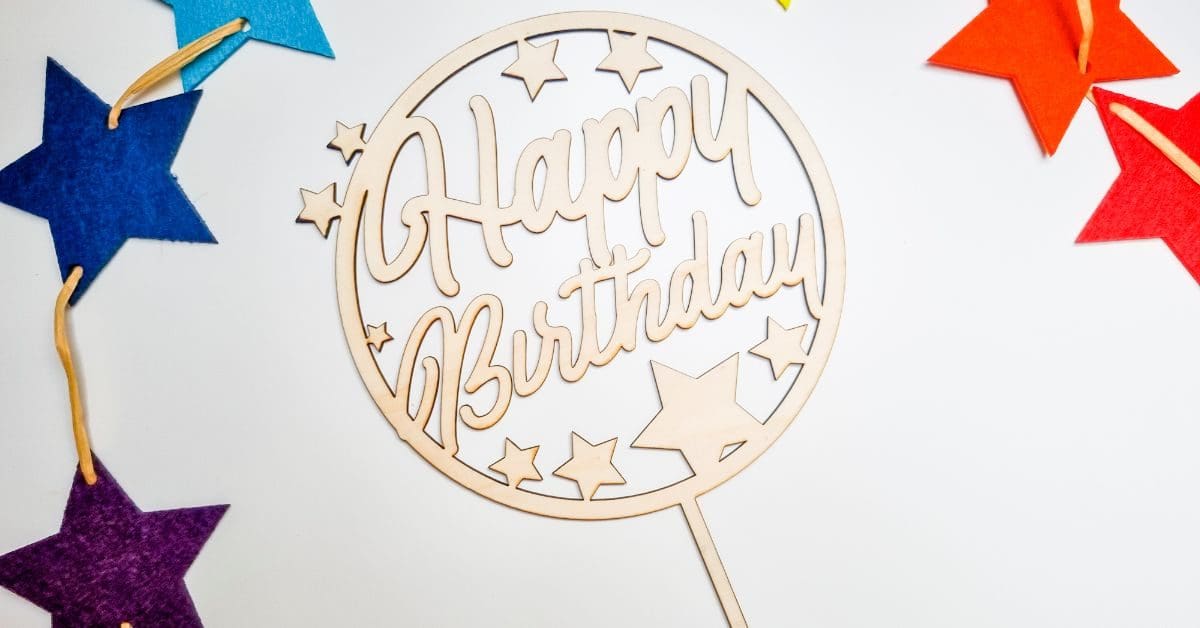
You can download the file for free to make your own.
Textiles / Fabrics: felt (up to 6mm), jersey, cotton, etc.
Felt is by far my favourite to cut with Mr Beam.

Get the cut file to make this rainbow star garland
Paper & Cardboard: Photo paper, cardboard (up to 5mm)
Plastics: acrylic (certain colours, up to 3mm), foam rubber (up to 20mm), foam (up to 20mm), polypropylene (up to 0,8mm)
Leather: natural leather (up to 1mm), artificial leather (up to 1mm), vegan leather
Latex and natural latex (up to 1mm)
A great range of materials are available from the Mr Beam store
Do not cut
These materials listed can produce harmful chemicals when cut so should not be used with the Mr Beam dreamcut laser cutter.
Plastics / Synthetic materials:
- PVC (e.g. vinyl, foils, credit cards, hard protective luggage case, specific foams, shoe soles, rubber gloves, pipes, etc.)
- PVB
- Polycarbonat (PC)
- Epoxy- or phenol resin
- PTFE / Teflon
- Glas fiber
- ABS plastic (e.g. lego, housing of electric appliance)
- PC Plastic (e.g. CDs, solar panels, plastic glass)
- Plastic reinforced with carbon fibre (e.g. tennis racket, wind surfing gear, etc.)
Textiles / Leather:
- Leather or artificial leather which contain chrome
- Neopren (containing chlorine)
- textiles containing pvc (e.g. raincoat)
How to cut
The easiest way to think about an cutting design, is to design without a fill. Strokes are for cutting, fill is for engraving. Keep your colours separate when designing to make it easier for you to keep track. I prefer always to use red as my cutting line. Vector files (such as svg) are used for cutting.
You can create them using applications such as Illustrator or inkscape as a free alternative
Read more on what are SVG files?
SVG’s are a graphics file. It stands for scalable vector graphics which means they can be easily resized and don’t lose their quality in the process.
You can also find lots of other SVG files in my file library.
Can I use the free SVG’s on my laser cutter?
All my SVG’s can be used with laser cutters such as Glowforge, xTool and Mr Beam. As well as cutting machines like the Cricut and silhouette. They can also be used for digital scrapbooking and printing.
Can photoshop open svg files?
Yes, photoshop now supports svg files. You can choose to rasterise the image to your size requirements or embed as a smart object. Perfect for engraving.
Why do laser cutters use svg files?
SVG files are not the only format used with laser cutters. They can also handle jpeg, png and GIF files. Vectors are what you will need for cutting and raster files with work fine for engraving. The beauty of SVG’s is that that can be scaled without any loss of quality. Just make sure before your upload any svg’s that they have been unzipped if they are in zipped folders.
What can I use free Craft Cartwright svg files for?
What supplies do I need?
The basics would be:
Laser cutters
These are the two laser cutters I have in my home studio


![Image for Mr Beam II Dreamcut [S] & Air Filter II Bundle >G Mr Beam Lasers](https://craftwithcartwright.co.uk/wp-content/uploads/2022/05/mr-beam-zwei-dreamcut-s-air-filter-system-removebg.pngv1633596656-735x490.jpg)




Goodmorning, which machine do you prefer? The XTool of the MrBeam. I can not choose between them which one to buy. It’s for a small business. Thank you!
If you are planning on running a buisness I’d buy the Mr Beam and go for the newest laser head the [x] model as it’s more powerful and will allow you to cut quicker and thicker materials.